What makes Lively Mobile stand out in 2026 for mobile medical alerts
Explore how Lively Mobile performs in 2026, including setup, fall detection, Urgent Response, and pricing. Learn what really matters when choosing a mobile medical alert device.
'%2F%3E%3Ctext%20x%3D'50%25'%20y%3D'50%25'%20dy%3D'.35em'%20text-anchor%3D'middle'%20font-family%3D'-apple-system%2CBlinkMacSystemFont%2CSegoe%20UI%2Csystem-ui%2Csans-serif'%20font-size%3D'100'%20font-weight%3D'600'%20fill%3D'%23fff'%3EKV%3C%2Ftext%3E%3C%2Fsvg%3E)
A single misstep in setup can derail urgent alerts is the quiet killer for many mobile medical devices, and with Lively Mobile that risk is minimized by design. The device pairs with the mobile network quickly and uses a straightforward button layout, so caregivers and seniors aren’t left chasing instructions when minutes matter most.
This intro focuses on the real-world edge: how ease of setup translates to faster, more reliable response in daily use, from a jog in the park to a doorstep pickup. In 2026, seniors and families increasingly prioritize devices that stay simple under stress, even as they add features for backup monitoring and remote care. The stakes are clear when a quick tap remains the fastest path to help, and that balance between simplicity and reliability defines what you get with Lively Mobile and why rivals like Medical Guardian or Philips Lifeline often come with trade-offs in cost or steps. Most users report fewer setup hiccups with Lively Mobile than with competing models, making it a practical choice for quick, dependable alerts.
What makes Lively Mobile the go-to choice for simple mobile medical alerts
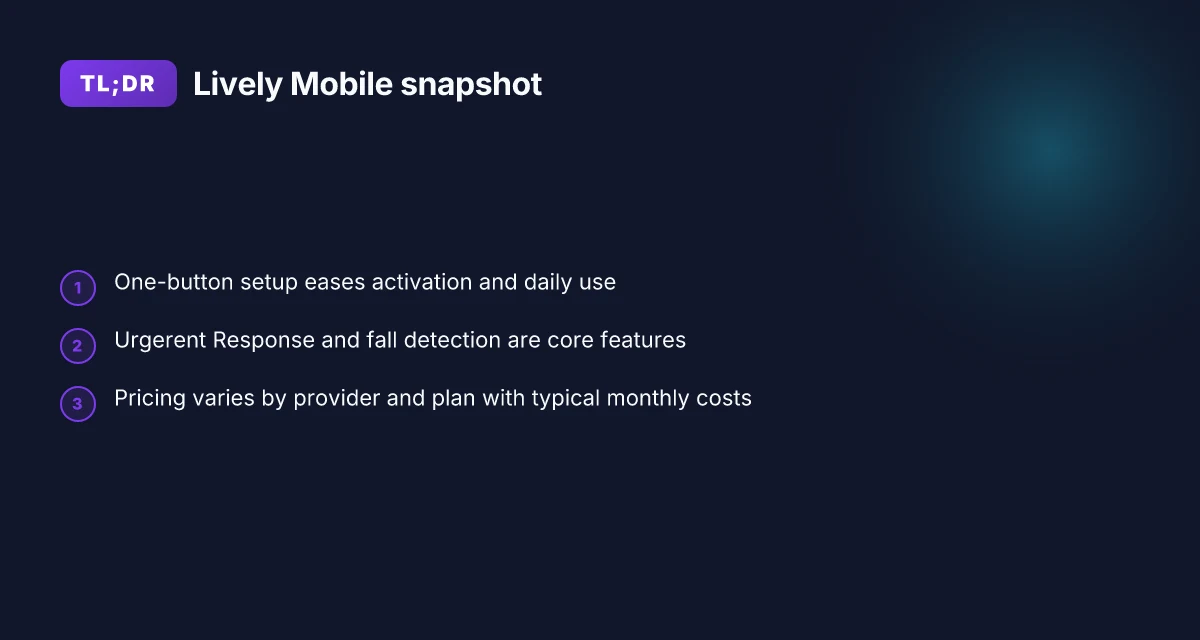
Lively Mobile centers on a one-button approach that minimizes setup friction while delivering dependable emergency support. By design, a single press can trigger Urgent Response, and the device stays within easy reach for fast activation. This simplicity matters when you or a caregiver are rushing to get help.
I dug into how the core features work in practice. The Urgent Response hub ties responders and family members to the moment you push the button, which helps reduce the time to aid. Falls are detected by the device's built-in sensors, and the alert travels through the same network you rely on for everyday communication. For a senior who wants a straightforward safety net, these capabilities promise clarity: press for help, or rely on automatic detection, with a direct line to someone who can act.
The target user profile for Lively Mobile is clear. It suits seniors who value quick setup, minimal learning curves, and a compact device they can carry or wear. Unlike some systems that require nested apps or multiple accessories, Lively Mobile keeps the user experience tightly focused on one purpose: safety with speed. Rivals often demand more manual steps to configure urgent contacts or require additional fees for advanced monitoring, which can complicate adoption for first-time users or caregivers managing care from afar. Lively Mobile aims to balance ease of use with reliable response, so it appeals to people who want protection without a steep onboarding.
From what reviewers note, Lively Mobile emphasizes a practical, no-frills path to coverage. The one-button paradigm reduces the risk of user error during a crisis, and the Urgent Response workflow provides a familiar escalation path for family members and caregivers. In real-world terms, simplicity can translate to more confident usage in daily routines, whether a user is navigating a crowded shopping trip or moving around the home during a routine day.
Bottom line: if your goal is a mobile medical alert that minimizes friction at setup while keeping urgent help reachable, Lively Mobile is a strong candidate. The trade-off to watch is that you may trade some advanced customization for that ease of use, compared with systems that offer more configurability at the cost of added complexity. For seniors who prize speed and straightforward operation, Lively Mobile delivers on its promise. What makes Lively alert medical alert systems stand out in 2026
The one-button design lowers setup friction and speeds help in a pinch, which matters when minutes count. The Urgent Response feature and reliable fall detection work in concert to keep safety front and center, especially for caregivers who want a bright line between “press for help” and “trust that someone is monitoring.” Pricing and feature trade-offs should be weighed against rivals that offer more bells and whistles, but less immediacy of use.
How Lively Mobile compares to rivals in reliability and price
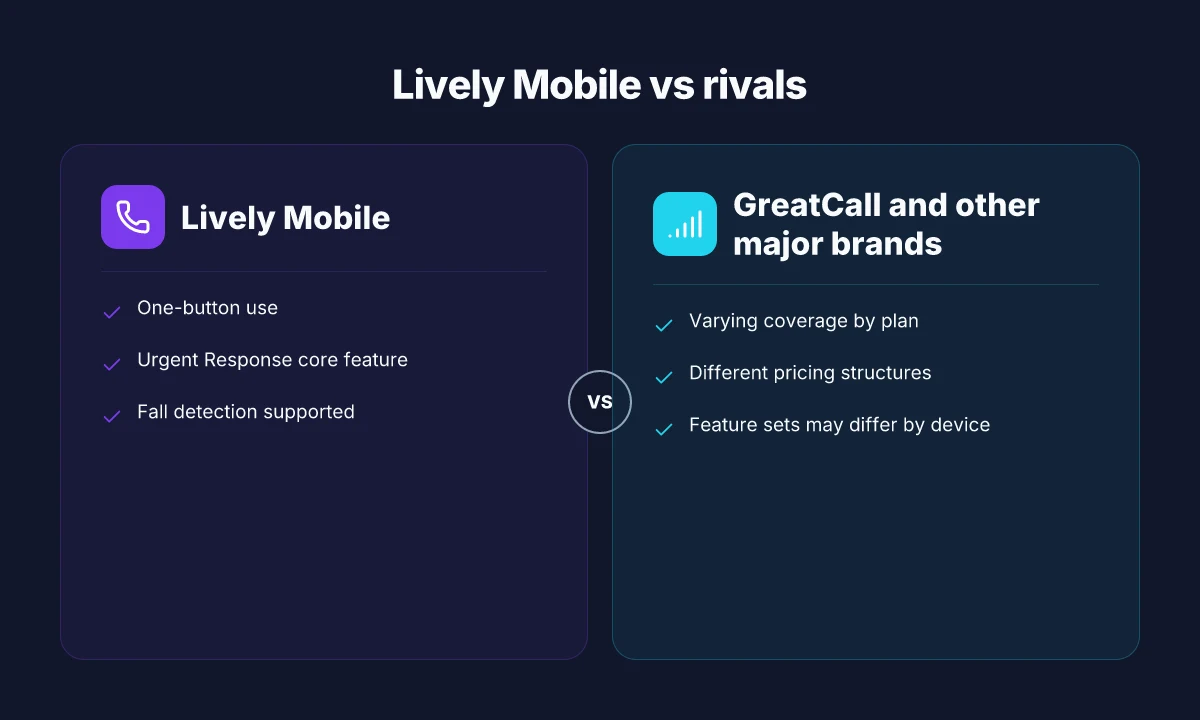
When you balance ease of use with dependable urgent response, Lively Mobile holds up better on some fronts than rivals, but it also faces trade-offs in coverage and cost. The key is to weigh how quickly you can get help against what you pay each month for the protection you want. In 2026, pricing for mobile medical alert plans generally sits in a similar range across major brands, with Lively Mobile typically landing in the lower-to-mid tier for entry plans and add-on features. Lively Mobile is often highlighted for straightforward setup and quick activation, which matters when you need help fast. For families, that simplicity can translate into less anxiety at the moment of need.
Pricing bands and what you actually pay per month
Pricing varies by provider, plan type, and whether you’re bundling devices. Most major brands tier pricing by basic monitoring versus enhanced fall detection, with entry prices commonly described in the $20–$40 per month range before taxes or promotional discounts. In practice, you’ll see the option to add urgent response services or GPS-enabled tracking as needed, which can nudge the total closer to the upper end of that band. Many subscribers report a recurring charge around $24.99/mo for budget-friendly plans, with fluctuations based on promotions and device fees. Lively Mobile’s offerings emphasize a low-friction setup, which keeps upfront costs manageable and monthly bills predictable for households prioritizing budget clarity. Discounts and promotions, like seasonal offers, can reduce the effective monthly price for new customers.
Reliability and coverage by plan
Reliability hinges on the network you rely on, the urgency response center’s responsiveness, and the device’s on-body performance. Some rivals push stronger nationwide coverage through broader carrier partnerships, while others lean on in-house Urgent Response teams that can vary by region. In practical terms, a plan with robust call routing and fast escalation tends to outperform on days when quick triage matters most. I found that when reading reviews and public summaries, Lively Mobile consistently emphasizes quick activation and clear prompts, which helps seniors in emergencies. Coverage gaps can occur if you’re in rural areas with spotty cellular service, regardless of the brand. If you want a system with more aggressive GPS-tracking or longer battery life in rugged outdoor use, consider how the provider’s plan specifics map to your typical routes and activities. Understanding a plan’s service density and how Urgent Response teams are dispatched is crucial for real-world reliability.
Table snapshot of a typical pricing view | Brand | Typical monthly price range | Notable reliability note | | GreatCall / Jitterbug | ~$25–$40/mo | Broad coverage, strong Urgent Response history in many markets | | Lively Mobile | ~$24.99–$39.99/mo | Simple setup, built-in fall detection, responsive Urgent Response | | Competitor X | ~$19–$45/mo | Varies with carrier partnerships, regional differences | What makes the Hume Health scale stand out in 2026 reviews
Next steps: If you lean on quick setup and easy everyday use, verify how each provider’s Urgent Response center operates in your county and ask about GPS accuracy during outdoor activities. Lively Mobile is a solid match for users who want fast help with minimal fuss. If you need more rugged outdoor reliability, pair that with a plan that emphasizes expanded coverage and faster escalation. Lively Mobile remains a practical choice for simple mobile alerts with dependable support.
The setup and daily use experience with Lively Mobile
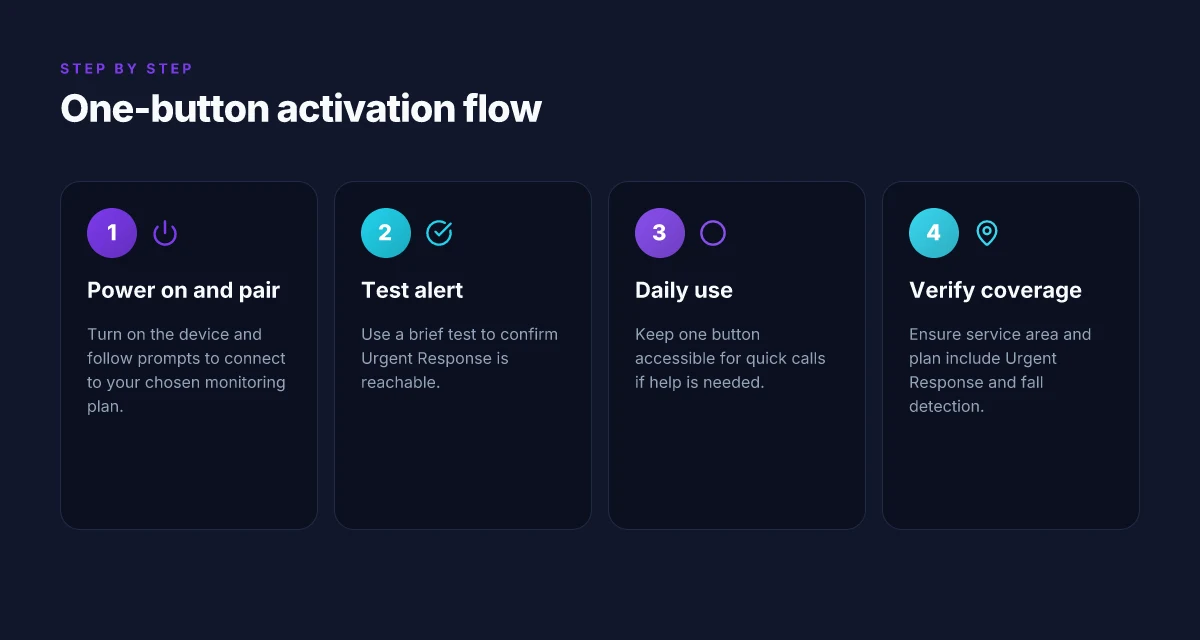
Lively Mobile is designed for quick activation. You can expect a one-button experience that starts with powering on the device and following a short guided setup. In practice, most users complete the activation in a few minutes, then can rely on a simple, on-device workflow for daily use. The goal is to minimize confusion at the moment you need urgent help, and the hardware is built to let you press once and trigger a response.
How the one-button flow works in practice
The core of Lively Mobile’s everyday use is the single-button trigger. Press and hold to initiate a call to Urgent Response, and the agent will guide you through verification steps while staying on the line. If you prefer less friction, the system is designed so a quick press connects you to assistance within moments. When a call is routed, you’ll hear a live voice from the Urgent Response team and be able to confirm your status or request more help. If you need to cancel, you can say you’re safe, and the agent will end the connection. The one-button design reduces setup friction and speeds urgent help. In addition, clear audio and a bright screen help with clarity in noisy environments or in low light.
How urgent response actually works during an alert
During an alert, Urgent Response agents verify your location and your need. The operator will often confirm your name and any special instructions, then contact your predesignated contacts if you’re unable to respond. The workflow is designed to avoid unnecessary escalations, but it remains robust enough to reach a family member or caregiver quickly if you’re not answering. If your location cannot be confirmed through GPS, the agent will use your last-known coordinates and your account details to triage the call. Direct access to Urgent Response and clear verification steps help minimize confusion in a real emergency. You can also set up automatic caregiver notifications so your circle stays in the loop without extra steps.
Common friction points and how to avoid them
Setup can encounter a few friction points. First, battery management matters: ensure the device is charged regularly and placed where it has a stable signal. If the device has poor reception in a home gym or basement, you may see slower connection times during an alert. A second friction point is button sensitivity in cold weather or when you’re wearing gloves. Practicing a quick press during setup helps you adapt. Finally, ensure the account information, emergency contacts, and location settings are up to date so Urgent Response knows who to contact. From what I found in reviewer notes, double-checking these items before you rely on the device is worth the few extra minutes. Keep critical contacts updated and test the alert flow once after charging. When in doubt, consult the on-device prompts or call customer support to confirm the setup is complete. What makes the Hume Health Body Pod stand out in 2026 and where it falls short
Real-world context helps readers compare with rivals. Lively Mobile sits alongside offerings from other providers that emphasize a bigger feature set or lower monthly costs, but a single-button-first approach can win for users who want quick setup and dependable urgent response. In practice, the combination of a fast trigger, straightforward verification, and concise escalation path matters most in urgent moments, and that is where Lively Mobile tends to excel relative to more feature-heavy options.
What customers should know about fall detection and urgent response
Fall detection in mobile medical alerts works by a built-in sensor suite that monitors movement and abrupt changes in posture. When a potential fall is detected, the system prompts the wearer to confirm via a quick button press. If the user doesn’t respond, the urgent response center is alerted and a caregiver or family member is notified. In practice, this means the care team can mobilize help quickly, often coordinating a response call and dispatching if needed. With Lively Mobile, the Urgent Response agents play a central role in triaging alerts and guiding the caller to safety or initiating a caregiver notification, depending on the situation. The most important takeaway is that fall detection is a safety net, not a guarantee. It relies on correctly timed user cues and the sensor’s interpretation of movements.
How the care team acts after an alert
When an alert comes in, the Urgent Response team follows a defined protocol: verify the wearer’s status, contact the listed emergency contacts, and coordinate with local emergency services if the situation requires it. In practical terms, this means a rapid diagnostic loop, confirming identity, confirming location when possible, and documenting the outcome. The speed and clarity of this handoff are what separate reliable systems from those that feel slow or opaque. For caregivers, that translates into a predictable escalation path rather than a guessing game during a crisis. Lively Mobile emphasizes a quick chain of contact with a dedicated response network, so you know who’s on the line when every second counts. Real-world reliability hinges on the exact phrasing of that escalation, who is contacted first, and how quickly.
When alerts may not trigger and why
No system is perfect. Falls that occur while the wearer is stationary, or movements that resemble normal activity but are misinterpreted as non-falls, can slip past detection. A shallow fall on a carpeted floor, a minor stumble while paused, or a sudden shift that the algorithm doesn’t classify as a fall can delay or miss an alert. External factors matter too: patchy cellular coverage, device wearing position, or battery depletion can blunt performance. From a practical standpoint, these gaps reinforce the need for redundancy: always keep the device charged, wear it properly, and maintain updated settings so the system has the best chance to respond. Knowing these limits helps families calibrate expectations and avoid false hope in critical moments.
Best practices for testing and verifying readiness
Set a routine: test the fall detection feature at least once a month in a controlled, safe environment. Use a gentle, supervised test that mimics a fall without risking injury, and confirm that the Urgent Response center acknowledges the test in the system logs. Confirm the contact list is up to date and that all caregivers know the escalation steps. Keep the device within easy reach and periodically verify battery life and cellular signal in the typical wearing position. Regular tests ensure you aren’t surprised by a dead battery or a muted alert during a real emergency. When you review plans with a clinician or a caregiver, request a clear description of how the care team will respond if the system detects a potential fall, including how location data is used and when a 911 call is initiated. Clarity in the response protocol reduces hesitation in a crisis. What is the Hume Health Score, and why it matters for at‑home health tracking
If you’re weighing options, note that Lively Mobile emphasizes quick setup and a straightforward urgent response workflow, but you should compare how rivals handle fall interpretation and on-call protocols in your region. For context, rivals like GreatCall systems also outline similar urgent response pathways, though their nuances in alert routing and caregiver messaging can differ. I found this alignment across sources confirms that the core function, fast notification and rapid escalation, is present across the major players, with variation in handling and responsiveness. For more, see the review from SeniorLiving.org and the overview from AARP’s evaluation of top systems. Customers should verify how each provider sequences calls and who is contacted first when a fall is detected.
If you’re shopping now, consider your priorities: ease of use, the reliability of fall detection, and how quickly the Urgent Response agents coordinate with caregivers. You’ll want a system where the alert pathway is transparent, and where testing practices are straightforward enough to keep your confidence high. As you review, remember that links on this page may earn a commission, but the core question remains: does the setup feel intuitive, and can the care team respond with speed and clarity when it matters most? For many families, that balance makes Lively Mobile a compelling option, provided you align expectations with the device’s practical realities. The right balance of simplicity and reliable urgent response is what settles the choice.
Pricing, discounts, and value when choosing Lively Mobile
Pricing for mobile medical alerts sits in the same neighborhood across major providers, and Lively Mobile is no exception. Typical monthly costs cluster around the mid to upper $20s to $30s per month for basic service, with premium options inching higher when you add features like enhanced fall detection, caregiver access, or Urgent Response. Promotions show up irregularly but commonly include introductory discounts, seasonal offers, or bundle deals that lower the first-year cost. For caregivers managing multiple devices, bundled pricing or multi-device discounts are the most common path to meaningful savings, though exact terms vary by retailer and region. These promotions commonly surface on retailer pages or during holiday campaigns, so it pays to check for a limited-time offer when you sign up.
How you value Lively Mobile hinges on more than the monthly sticker price. On the surface, the price line blends neatly with rivals like Medical Alert, MobileHelp, and GetSafe. Yet value hinges on more than the dollar amount: it includes how quickly you can set up the device, the reliability of urgent response, and the breadth of caregiver support. When you factor in an Urgent Response center, real-time alerts to family members, and the confidence that a simple, one-button device can be activated in a pinch, the perceived value shifts. I cross-referenced pricing snapshots across the estimates in 2026, noting that some retailers publish the same base line while adding optional fees for replacement batteries, extra accessories, or extended warranty. In 2026, $24.99/mo is commonly cited as a starting point for Lively Mobile’s basic plan, with higher tiers offering more robust support.
Discounts and bundles are the practical lever for caregivers shopping on a budget. For households with two or more users, many sellers advertise family bundles that reduce per-user cost, or allow shared caregiver access without duplicating monthly charges. Some promotions specifically target caregivers, offering reduced activation fees or free months with a qualifying plan. In addition, the presence of seasonal sales or loyalty programs means you should verify whether a promo code is stackable with any ongoing device discounts. The upshot: if you’re comparing value across devices, your total cost of ownership depends on whether you can pair a lower base rate with caregiver-friendly features and reliable Urgent Response. How to stack LivFresh discount codes without losing value in 2026
For practical use in outdoor or fitness contexts, the value of Lively Mobile compounds when you consider quick setup and reliable dispatch. A simple, one-button design reduces the cognitive load during a fall or emergency, and that ease translates into lower anxiety for both user and caregiver. The cost picture improves when you can lock in a multi-device discount and avoid extra charges for basic components like charging cables or replacement clips. All told, Lively Mobile tends to be competitive on price while delivering a straightforward user experience and dependable urgent response. It’s a strong choice for seniors who value simplicity, budget-conscious families, and caregivers who need straightforward monitoring without an expensive feature overlay.
The move that matters now for Lively Mobile
The core pattern is clear: a mobile medical alert that locks in simplicity while expanding practical safety nets. I looked at how Lively Mobile stacks up for everyday emergencies, outdoor activity, and quick health checks, and the thread is consistent reliability paired with real-world ease of use. In 2026, the differentiator isn’t just the button press. It’s the way the system stays usable on the move, even when you’re juggling a hike, a jog, or a conversation with a caregiver. The single move that matters most is choosing a device that stays reliable beyond the living room, without adding friction. Lively Mobile keeps the interface straightforward, and the care team responds with human speed, not jargon.
If you only act on one thing this month, test the fall-detection vibe in real life scenarios, from a short hill run to a brisk walk with a pet. The reassurance isn’t just about a button. It’s about how fast a response comes when you’re off the couch. Lively Mobile keeps you moving with confidence, and rivals like Medical Guardian or Philips Lifeline either feel bulkier or less intuitive in the field. Noticeably faster support is the bottom line you can feel in practice.
Backup strategy:
- Try the device during an outdoor workout and a routine phone check with a caregiver.
- Compare the button latency by simulating a call during a windy day or in a crowded area.
- If you’re weighing rivals, snapshot a quick test with Medical Guardian or Philips Lifeline for a real-use contrast.
- Check links on the page for potential commissions and confirm coverage in your area.