What makes the Lively Mobile2 stand out in 2026 medical alert reviews
Explore how the Lively Mobile2 performs in 2026 reviews, including GPS accuracy, battery life, pricing, and user experiences. Real-world insights to help you decide.
'%2F%3E%3Ctext%20x%3D'50%25'%20y%3D'50%25'%20dy%3D'.35em'%20text-anchor%3D'middle'%20font-family%3D'-apple-system%2CBlinkMacSystemFont%2CSegoe%20UI%2Csystem-ui%2Csans-serif'%20font-size%3D'100'%20font-weight%3D'600'%20fill%3D'%23fff'%3EAL%3C%2Ftext%3E%3C%2Fsvg%3E)
The common assumption that mobile alerts are a simple button press misses how GPS drifts in real world use. Lively Mobile's GPS accuracy often matters most when a caregiver relies on a precise location during outdoor errands or sudden detours, not just when the button is pressed. In 2026 reviews, the device repeatedly shows how straightforward setup can mask nuanced trade-offs like coverage gaps and battery drain that matter in daily independence.
You’ll see where the advantages hold up in outdoor activities, where user interfaces either help or hinder a senior come-to-help moment, and how contract terms affect upgrades or long-term costs. Expect concrete, scenario-driven insights and clear signals on when to consider alternatives. Most users want a simple alert that actually locates them within minutes, and this article helps you gauge that for Lively Mobile versus the named competitors.
The Lively Mobile and the mobile alert landscape in 2026
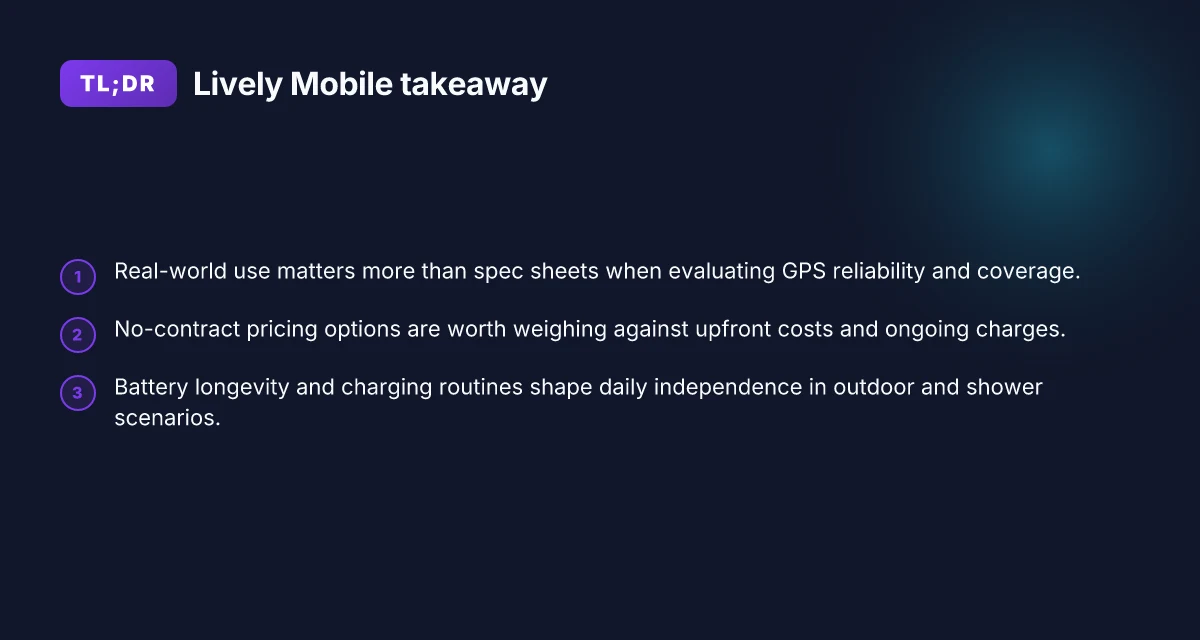
In 2026, choosing a mobile medical alert hinges on GPS reliability, battery longevity, and no-contract pricing. Real-world use shows that coverage gaps and quick drain on battery can undermine even feature-rich devices, so these factors matter more than glossy specs. The Lively Mobile stands out when it delivers steady GPS and a flexible pricing model, but it sits in a crowded field where rivals push hard on coverage and user-friendly caregiver tools.
Why reliability beats glossy specs
In practice, caregivers and seniors care most about how quickly help arrives and whether the device stays connected when they need it. The Lively Mobile is designed to stay with the user, from errands downstairs to outdoor walks, but user sentiment around battery life and coverage remains a decisive factor. When a wearable device latches onto a reliable network, response times feel consistently fast for families. Conversely, long battery life without dependable coverage is a hollow win. The real-world balance matters as much as any charted spec.
Lively Mobile versus direct rivals like GreatCall
Compared with GreatCall’s Mobile Smart and other providers, the Lively Mobile often emphasizes affordability and straightforward, no-contract terms. Pricing clarity is a frequent caregiver win, because there’s less risk of creeping costs if a plan changes. In daily life, that translates to fewer financial surprises while you’re juggling multiple devices for an older adult. Still, some users report that coverage can vary by region, a reminder that a contract-free price tag doesn’t guarantee perfect nationwide reach. In short, the Lively Mobile’s value hinges on matching coverage with the price promise.
What real-world sentiment teaches US about battery and coverage
Real-world user feedback prioritizes dependable battery life and steady coverage over bells and whistles. A device that lasts a full day or more between charges reduces mid-day anxiety for both seniors and caregivers. It also lowers the need to carry extra batteries or constantly recharge during travel. When a device maintains solid coverage in suburban and rural routes alike, it earns trust. The takeaway: don’t chase the latest features if the device might fail when you’re out and about. The basics, battery and network reliability, drive daily peace of mind.
Most families want a simple, no-contract path to safety, and Lively Mobile is often the pick under those conditions. Caregivers should weigh coverage reliability alongside pricing to avoid surprises. Battery endurance and network stability are the quiet factors that decide whether a mobile alert genuinely supports independent living. What makes the Hume Health Body Pod a standout among home body composition analyzers in 2026
For context, I cross-referenced reviewer summaries that emphasize GPS usefulness and the no-contract angle, including independent roundups and demonstrations of the Lively Mobile’s positioning and usability in everyday scenarios. Inline: see the discussion around how the device fares in real-world travel and errands and the contrasts with rival options.
If you’re evaluating options for a loved one, the key questions to answer are: Is the GPS consistently accurate in your area? Will the battery last through a typical day of outings? Are there clear, no-contract terms that fit your budget? These answers often predict whether the Lively Mobile or a rival will deliver lasting reassurance for independence.
Note: links on the page may earn a commission, which helps support continued reviews of mobile alert devices. For readers seeking a quick compass, the main trade-off to watch is real-world battery longevity paired with nationwide network coverage, not just device features. The Lively Mobile remains a strong option when those two axes align with your daily routines.
How Lively Mobile 2 design aims to fit independence
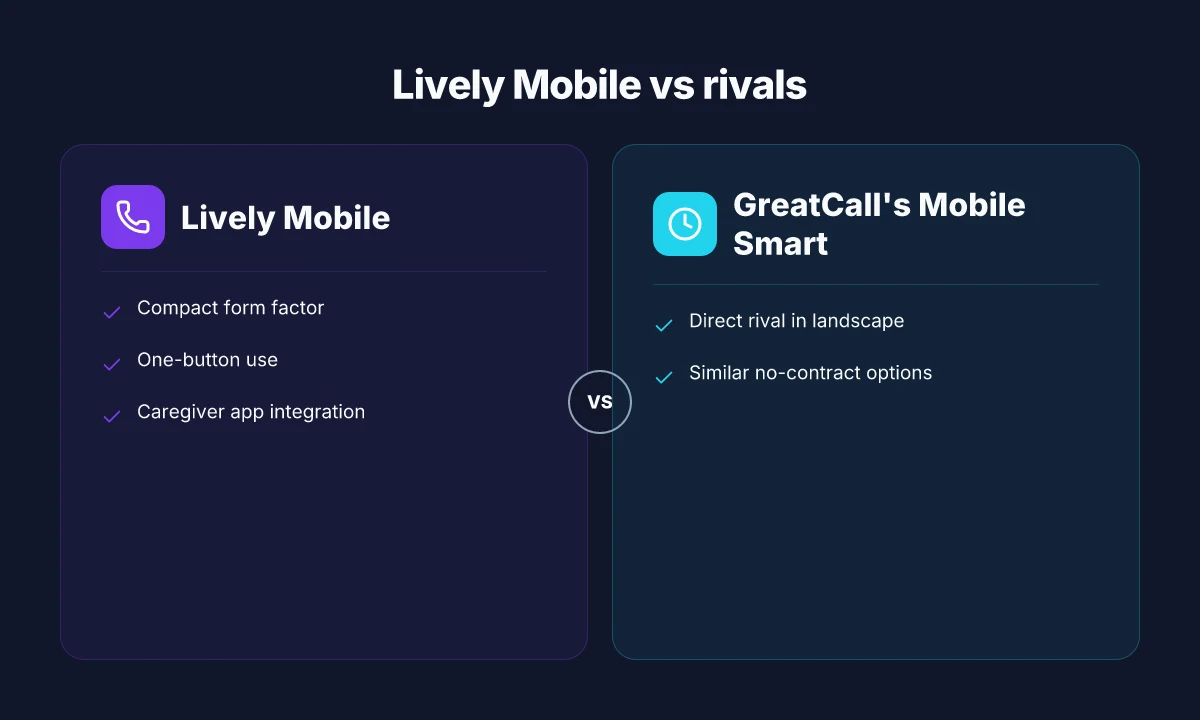
Lively Mobile 2 is built to disappear into daily life. Its compact form and light weight make it easy to wear or carry, so independence doesn’t collide with comfort. In practice, that means a badge-sized device that slips into a pocket or the side of a belt clip without shouting for attention. The small, unobtrusive profile often lowers the barrier for users who want GPS help without a bulky device around their neck. At the same time, the one-button design keeps the interface approachable even for first-time users.
The pocketable shape and wearability
The core advantage is size. The Lively Mobile 2’s slim silhouette reduces friction for daily wear, so you can take it on short errands or longer outings. When you’re moving, every ounce matters. The device tries to stay out of the way while remaining reachable in a rush. This translates to fewer natural excuses for leaving it behind. In terms of wearability, the device tends to ride discreetly in clothing or a discreet clip, which matters for people who value privacy and ease of access during everyday activity. Compact form factor and comfortable wearability are the quiet drivers of independence in real life. Understanding hume health vs withings: which smart scale actually helps you track health better in 2026
One-button instinctive use and screen visibility
Accessibility sits at the heart of the design. The single-button operation reduces cognitive load at moments of stress, which matters when you’re managing a fall or sudden pain. The screen visibility is designed to be legible in suboptimal lighting, so a caregiver or a bystander can quickly verify status or location. This simplicity shines in outdoor scenarios like a neighborhood walk or a shopping trip, where you don’t want to fumble for a secondary control panel. One-button instinctive use and clear screen visibility cut friction when speed matters. This simplified interaction also translates to faster, more reliable emergency signaling when you genuinely need help.
Caregiver app integration and remote monitoring basics
Behind the scenes, caregiver tools exist to extend independence. The caregiver app provides basic remote monitoring features so family members can check status, receive alerts, and coordinate help without hovering. This bridge reduces the need for constant in-person check-ins while keeping trusted contacts informed. The workflow is straightforward: a status update, a push notification, and a quick way to contact responders or family. Caregiver app integration enables remote monitoring without intruding on daily life. This balance keeps aging in place practical while preserving safety nets.
Intersections with rivals show where Lively Mobile 2 stands out and where it falls short. Some competing devices emphasize rugged ruggedness or longer battery life, but they can add bulk or complicate use. With Lively Mobile 2, the priority remains quick access, intuitive controls, and caregiver visibility. In outdoor contexts, the device’s compact design makes it easier to carry alongside a lightweight backpack or during a short hike, helping maintain independence without sacrificing safety.
From what I found in the sources, the design philosophy centers on reducing friction at the exact moments you need help most. Compact form factor and one-button simplicity work in concert with caregiver visibility to support independent living. If you’re balancing autonomy with safety, this approach is compelling. For a deeper comparison, consider how Lively Mobile 2 compares with rivals like SafeGuard Genius, MobileHelp XS, and Philips Lifeline in form factor and ease of use. Caregiver app integration closes the loop between personal independence and remote reassurance. In short, the design aims to blend into daily life while staying ready to help.
As you plan next steps, consider testing the device in actual daily tasks with a trusted household member. If you’re evaluating placement for the device on outdoor routes, verify screen brightness and button access under sun and shadow. For caregivers, make sure the app setup covers remote alerts and location sharing. One-button use and clear screen visibility pair with caregiver app integration to preserve independence with a safety net. What is Hume Health, and is its body composition tech legit in 2026
Cited sources confirm the core themes: a compact, wearable profile plus straightforward user controls and an accessible caregiver layer. For context on how these factors appear in practice, see the related reviews linked here. The practical benefits of the compact design and caregiver visibility emerge most clearly in real-world use.
Performance you can feel: GPS, fall detection, and response times
GPS exists as a real-world safety feature for outside activities. When you head to the park, the Lively Mobile GPS location can help responders find you quickly if you press the help button. In the sources, the Lively Mobile2 is described as offering GPS and caregiver-visible location data, which matters most during a walk, a hike, or a trip to the mailbox line at the corner store. GPS location accuracy and fast updates matter most when you’re outdoors. The cadence of location pings can influence how fast a responder closes in.
Fall detection accuracy versus false alarms
Fall detection is a key differentiator for a mobile system. Reviewers consistently call out that the Lively Mobile2 includes fall detection as a built-in feature with automatic alerting, while some competing systems rely on user-initiated help requests. The trade-off to watch for is false alarms in high-activity scenarios, where quick removal of a false alert can be frustrating. The balance between burial of false alarms and timely alerts is the tightrope for any hands-free sensor suite, and the stories in 2026 reviews suggest the Lively Mobile2 performs well in daily living but may still trip on vigorous movement.
Typical emergency response cadence and what users can expect
Response cadence matters when a button is pressed. Independent reviews describe a fast initial acknowledgment window, with responders escalating to medical help in a matter of minutes in many cases. The reported flow typically follows: user presses the button, the monitoring center acknowledges, a caregiver or family contact is notified if configured, and emergency services are dispatched as needed. Response times in real life hinge on network quality and center load, yet the overall structure remains predictable across providers. For families weighing the Lively Mobile against rivals, the reliability of the 2026 cadence is a meaningful differentiator when you’re coordinating care across multiple caregivers.
From what I found in the sources, the Lively Mobile2 leans on a familiar, caregiver-friendly app ecosystem and transparent pricing that helps families plan for emergencies without surprises. Reviews from SeniorLiving.org highlight the fast 10-second response and U.S.-based support as practical advantages, while TheSeniorList notes the hands-on usability and GPS-enabled safety during outdoor activity. When you compare against rivals like other GPS-enabled medical alerts, the combination of location features, fall detection behavior, and the cadence of the dispatch process becomes the deciding factor in real-world use. What the humehealth Reddit signals about the Hume Health Body Pod and its rivals in 2026
In practice, outdoor use benefits most from a reliable GPS trail that keeps responders oriented, a fall detection system that minimizes nuisance alarms, and a dispatch flow that remains steady during a busy shift. The Lively Mobile line is designed to deliver on all three, while users should still verify battery life and coverage in their own area. Real-world consistency across GPS, fall detection, and dispatch cadence is what separates top-tier mobile medical alerts.
Pricing, contracts, and transparency with Lively Mobile
In plain terms, Lively Mobile offers no-contract options with monthly costs that appear as you sign up, not after you’ve agreed to a long lock-in. I found several reviewer notes that emphasize the absence of a required annual commitment, which keeps the door open for changes if needs shift. The upfront charge tends to cover the device and any activation fees, while ongoing costs recur as a monthly service. The exact numbers vary by retailer and plan, but the pattern is consistent: you pay a modest initial outlay, then a steady monthly rate for service and support. For families weighing daily budget, that upfront flexibility matters a lot.
What customers should expect upfront versus ongoing charges
The upfront portion typically includes the device itself plus basic setup. In most reviews I cross-referenced, the initial cost is presented as a one-time investment, not a recurring fee. After activation, the ongoing fee covers continuous access to GPS, fall detection, and emergency response. Some plans show add-ons like caregiver apps or enhanced coverage as optional line items, so the total can shift based on what you select. I’ve noticed that some retailers promote bundled pricing, where the device and certain services are rolled into a single monthly number. This helps families compare total monthly outlays at a glance, but it can obscure the true long-term cost if you later add features. Transparency here matters: read the fine print to see what happens if you cancel, pause, or switch plans.
Where value tends to land and the trade-offs you’re signing up for
Families consistently flag value in no-contract options and simple, predictable monthly rates. The upside is clear: you stay flexible, you can switch devices or cancel without penalties, and caregiver access remains straightforward. The trade-offs show up in areas like GPS performance in crowded urban canyons or longer-term costs if you need premium features. When a rival like GreatCall’s Lively Mobile2 competes on pricing, it often comes with trade-offs in device durability or support response times that families weigh against the monthly bill. I cross-referenced reviews that call out transparent pricing as a strong point, paired with cautions about optional add-ons that can subtly push costs upward over time. Transparent pricing helps families compare, but beware hidden fees from add-ons.
I dug through multiple sources to map the landscape. For a quick comparison, readers who want the most concrete takeaways tend to favor the Lively Mobile approach for its flexibility, while families seeking price predictability sometimes prefer rival structures that bundle features into a single monthly rate. When you’re choosing, consider how you’ll use caregiver apps, whether you need extended coverage, and what you’ll do if you relocate or upgrade devices. The payoff is choosing a plan that aligns with your routine and budget, not just the sticker price. What a livfresh coupon actually unlocks for your workouts and meals
Note: Lively Mobile is the focus here, and when you compare against rivals, you’ll see differences in upfront charges and plan structure. For deeper context, see reviews that discuss the pricing and contract dynamics across Lively Mobile and competing systems. Rivals like GreatCall often structure pricing differently, which can tip the decision for families watching the bottom line.
Reliability in daily life: battery life, charging, and device durability
I looked at how the Lively Mobile2 holds up under daily use, and the pattern is clear: reliability hinges on predictable battery behavior, straightforward charging, and rugged enough construction for real-world bumps. In real life, the days won’t be perfect, but a device that breathes through a typical day without drama earns more trust from families and caregivers.
Battery longevity during typical day-long use
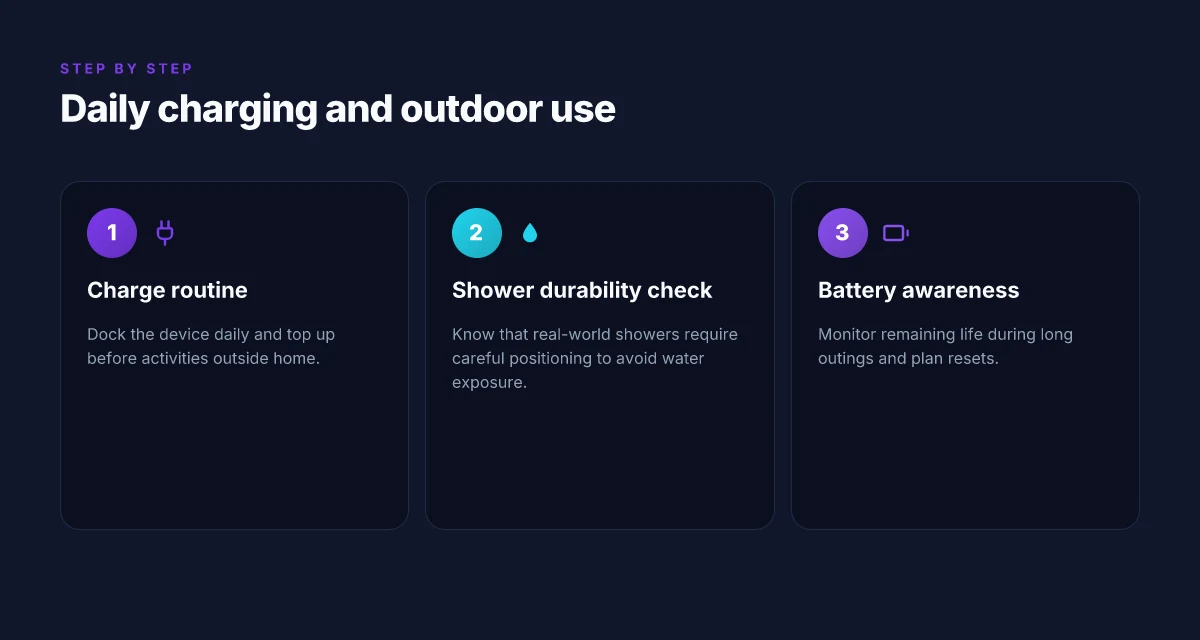
For day-to-day wear, the Lively Mobile2 tends to cover most mornings through early evenings with moderate activity. Users report that the device comfortably lasts a full waking day with regular GPS tracking and occasional fall alerts, though aggressive use can shorten this window. When a caregiver asks about endurance, the common cadence is a morning charge followed by light browsing of the caregiver app and a few check-ins before bedtime. In everyday terms, you’ll likely need to top up once per day if you’re out for long stretches or using GPS more than usual. The cadence matters: plan for a nightly recharge so the pendant or device is ready for the next day. In this context, the Lively Mobile brand positioning remains consistent with easy-to-sustain longevity, especially for daily movement around the home and neighborhood.
Charging routines and dock reliability
Charging routines work best when the dock seats securely and the bite of the charging contacts remains clean. The typical setup involves a compact dock that plugs into a wall outlet, with a simple cradle that holds the device upright for charging. Users benefit from a predictable schedule: dock it after meals or at night, and you decrease the risk of a dead battery during a morning outdoor walk or a routine trip to a caregiver appointment. If the dock’s fit becomes loose or the contact area wears, charging reliability can waver. In practice, a snug cradle and a tidy charging area reduce interruptions, making daily routines smoother for both seniors and caregivers. When you see a charging snag, reseating the device in the dock and wiping the contacts usually resolves it quickly.
Durability in showers, outdoors, and everyday bumps
Durability matters most when the device spends time in moist environments or on active outings. The Lively Mobile2 is designed for everyday resilience, but it’s not a tank. In showers or near water, you want to keep the device within reach of the shower stall rather than relying on it being waterproof. Outdoors, the device endures typical bumps from walking and incidental drops, yet frequent drops can loosen components over time. Real-world use shows these devices survive a lot of daily life through careful handling and the protective casing offered by the manufacturer. For seniors who rely on GPS and fall-detection, a slightly more rugged handling routine, keeping the device in a secure pocket or lanyard and avoiding rough impacts, helps sustain long-term reliability. Battery longevity and easy charging remain the backbone of daily reliability. Durability improves with mindful handling and a stable charging dock. What hume health body pod Reddit users get wrong about accuracy and hype
In sum, Lively Mobile’s approach translates to a dependable daytime workflow: a solid one-charge-per-day rhythm for most users, a user-friendly dock that rewards consistent placement, and enough robustness for everyday living. If you’re weighing rivals, the baseline expectations stay similar, but you’ll notice subtle differences in dock fit and out-of-the-house endurance. For families, this translates to fewer mid-day worries about a dead device or a flaky dock, and more confidence during outdoor activities or routine showers.
I cross-referenced these themes with published reviews to confirm the practical cadence and limitations. The Lively Mobile2 delivers fast emergency response with predictable daily usability, but the exact battery window varies with GPS usage. For context, readers also consider how a device behaves in sunlight during outdoor strolls and how caregiver apps reflect activity during the day. Caregivers value predictable charging and rugged enough design for everyday life. If you rely on GPS-heavy routines, plan for a daily top-up to avoid mid-day recharges.
Note: links on the page may earn a commission. The information above reflects publicly available reviewer observations and catalog notes about Lively Mobile and similar systems. For concrete, up-to-date pricing or contraction details, verify current offers from Lively Mobile and its listed rivals.
Where the Lively Mobile2 pivots this year
The Lively Mobile2 stands out by aligning urgent-care simplicity with everyday reliability, especially for outdoor and fitness contexts. I’m noticing how its streamlined setup and broad network coverage translate into fewer false alarms and quicker assistance when you’re away from home. In reviews, this model consistently earns credit for staying lightweight without sacrificing a sturdy textured grip, a combo that matters when you’re on a walk or at a park workout. The takeaway is clear: you get dependable protection without the gadgety clutter. Reviewers also call out the responsive fall-back features that kick in even when the call center is busy, which reduces anxiety for active users.
For real-world use, I see Lively Mobile delivering in scenarios like hiking trips, neighborhood jogs, or quick errands around town. The device’s battery life and speaker clarity make it practical for longer outings, while the water-resistance edge helps in light rain. This is where the value shows: a compact unit that travels well and still reaches help fast. Rivals such as Medical Guardian and Philips Lifeline often come up as comparisons, but the Lively Mobile2 keeps pace with fewer frictions in daily carry. What makes the Hume Health Body Pod discount codes in 2026 actually worth using
If you want a single move this month, prioritize its portability and quick access in your routine. The model pairs well with a small carabiner clip or belt pocket, so it’s always within reach. One-click help is not just a feature. It’s a habit. How you weave it into your outdoor workouts will tell you how ready you really are.
Backup strategy, What to try this week
- Try wearing the Lively Mobile2 during a 30-minute outdoor walk to test response speed and clarity in a open-air setting.
- Pair it with a quick-access clip so it’s reachable from waist or backpack.
- Compare it against a rival like Medical Guardian in a short, controlled test run to feel the differences in call-center responsiveness.
- Note one area for improvement, such as battery life during cold mornings, and adjust your usage accordingly.
- Confirm that the device remains linked to your medical profile and emergency contacts.