IPVanish Login: How to Sign In and Fix Common Problems
Learn how to sign in to IPVanish, reset your password, and troubleshoot account or app login issues.

To complete an IPVanish login, open the official IPVanish website or the IPVanish app and enter the email address and password associated with your account. For website account access, go to my.ipvanish.com and sign in to the customer portal. If you are trying to use the VPN, open the app and sign in there. Accessing the account portal and connecting through the VPN app are related but separate steps.
Editor's pick: NordVPN — fast, secure VPN — Strong encryption, a no-logs policy and apps for every device. 30-day money-back guarantee. Get NordVPN →
Compare common IPVanish login problems and the next step
| Problem | What it may mean | What to check | Next step |
|---|---|---|---|
| Incorrect password | Credentials may not match | Password spelling and case | Try again carefully |
| Forgotten password | Password is unavailable | Access to the account email | Start a password reset |
| Login still fails | More than one cause is possible | Email, password, and reset status | Retry after checking credentials |
| Cannot access account | Account access issue | Whether the email is reachable | Use the account recovery option |
| Signed in but VPN will not connect | Connection issue, not login | Internet and VPN connection status | Troubleshoot the VPN connection |
| App shows a connection error | VPN connection may be failing | App status and network access | Check connection settings |
| Subscription concern | Account or billing issue | Subscription details | Manage the account |
| Unsure where the issue is | Login and connection problems differ | Whether sign-in succeeds | Troubleshoot the affected step |
Compiled November 2026; check the provider's site for current details.
How to log in to IPVanish
Sign in through the website
- Open a browser and go directly to my.ipvanish.com.
- Enter the email address linked to your IPVanish account.
- Type your password and submit the form.
- Once signed in, use the account portal to review or manage your account.
Check the web address before entering your credentials. A search result, email, or message may lead to a page that looks familiar but is not the official site. Avoid entering your password on an unfamiliar page.
Sign in through the app
If your goal is to connect to the VPN, launch the IPVanish app on your device. Enter the account email and password when prompted, then follow the app’s instructions to connect. IPVanish’s official website describes its service as a way to help shield internet traffic and secure Wi-Fi connections. The app is also listed on Google Play.
| What you want to do | Where to sign in | What you need |
|---|---|---|
| Manage your account | IPVanish customer portal at my.ipvanish.com | Account email and password |
| Use the VPN | IPVanish app on your device | Account login details and an internet connection |
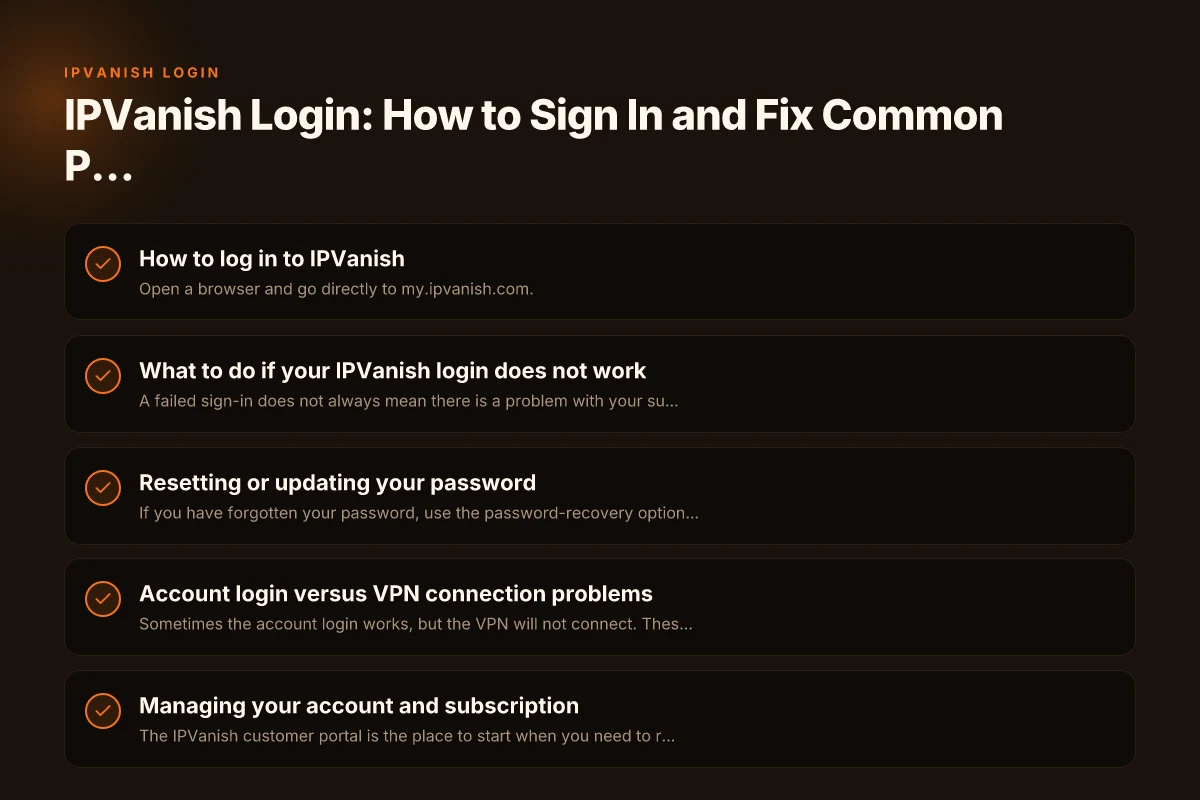
What to do if your IPVanish login does not work
A failed sign-in does not always mean there is a problem with your subscription. Start with the simple checks below before changing account settings.
- Check the email address. Use the address associated with your account. Look for spelling errors, extra spaces, or an old email address.
- Enter the password carefully. Check for an accidental space and make sure your keyboard has the expected capitalization settings.
- Try the official portal. If a saved link fails or appears unfamiliar, type my.ipvanish.com into your browser.
- Check your connection. Confirm that your device can access the internet before trying to sign in again.
- Restart the app or browser. Close it completely, reopen it, and retry.
- Update the app. If the app is outdated, install any available update through the official app store for your device.
- Avoid repeated guesses. If you are unsure of the password, use the password-reset process rather than continuing to try possible variations.
If the website accepts your details but the app does not, close and reopen the app, then enter the same account credentials again. If neither works, reset the password and try once more.
Choose the right IPVanish account action Free VPN: What to Know Before You Choose One
| Goal | Best action | What you need | What it addresses |
|---|---|---|---|
| Sign in to IPVanish | Enter account credentials | Account email and password | Account access |
| Recover a forgotten password | Request a password reset | Access to the account email | Lost password |
| Change a known password | Update the password | Account access | Password maintenance |
| Check subscription details | Open account management | Account sign-in | Subscription status |
| Manage a subscription | Use account management | Account sign-in | Subscription changes |
| Fix a failed VPN connection | Troubleshoot the connection | App and network access | VPN connectivity |
| Confirm whether login works | Sign in before troubleshooting VPN | Account credentials | Separates login from connection issues |
Compiled November 2026; check the provider's site for current details.
Resetting or updating your password
If you have forgotten your password, use the password-recovery option on the official IPVanish sign-in page. Follow the instructions shown there, and check the inbox for the email address linked to your account. If the message does not appear, check your spam or junk folder and confirm that you entered the correct email address.
After resetting your password, use the new password to sign in to the website or app. If you have saved an older password in your browser or password manager, update that saved entry to avoid repeated login errors.
For account security, choose a password that is difficult to guess and do not reuse it across unrelated services. Never send your password to someone claiming to provide support. If you contact IPVanish through an official support channel, provide only the information requested through that channel and do not share sensitive login details.
Account login versus VPN connection problems
Sometimes the account login works, but the VPN will not connect. These are different issues: signing in confirms access to your account, while connecting establishes a VPN session from the app. Sslvpn poscoenc.com: Access, Safety, and Troubleshooting
If you can sign in but cannot connect, check that your device has an internet connection and that the app is responding normally. Try closing and reopening it, then follow the connection options shown in the app. If the app displays an error, note its wording before contacting official support.
If you cannot sign in at all, focus first on your account email, password, and password-reset options. Reinstalling the app is unlikely to resolve an incorrect password, so confirm your credentials before taking more disruptive steps.
Tell an IPVanish login issue from a VPN connection issue
| Checkpoint | Login issue | VPN connection issue | What to try |
|---|---|---|---|
| Sign-in succeeds | Usually no | Often yes | Check whether the app shows signed in |
| Credentials rejected | Possible | Not the defining symptom | Recheck email and password |
| Password forgotten | Possible | No | Reset the password |
| Account access unavailable | Possible | Not the defining symptom | Use account recovery |
| VPN will not connect | Not necessarily | Yes | Troubleshoot the VPN connection |
| Internet access is unavailable | Not necessarily | May affect connection | Check network access |
| Subscription needs review | Account-management issue | Not necessarily | Review account details |
| Login works but VPN does not | No | Yes | Focus on connection troubleshooting |
Compiled November 2026; check the provider's site for current details.
Managing your account and subscription
The IPVanish customer portal is the place to start when you need to review or update account details. Sign in at my.ipvanish.com using your account email and password, then look for the relevant account or subscription controls. Free VPN Extension for Edge: How to Choose and Use One
If you want to cancel, use the cancellation instructions and controls shown in your account or contact IPVanish through its official support options. The exact steps may depend on where you purchased the subscription, so check the account or purchase channel associated with your plan. Do not assume that deleting the app cancels a subscription.
If you are unsure which email address you used, search your inboxes for IPVanish account messages or payment confirmations. Avoid sharing full payment details in public posts or with unofficial support accounts.
Recommendation
For a safe IPVanish login, go directly to my.ipvanish.com for account access or use the official IPVanish app to connect to the VPN. If sign-in fails, verify your email and internet connection, reset your password through the official page, and contact IPVanish support if the problem continues.